
Your cart is currently empty!
How do i translate Korea page to other language?
(** You can slip the step if you know Korean language)
How do i translate Korea page to other language?
- Download & install Google Chrome (Recommend if you don’t know Korean Language)
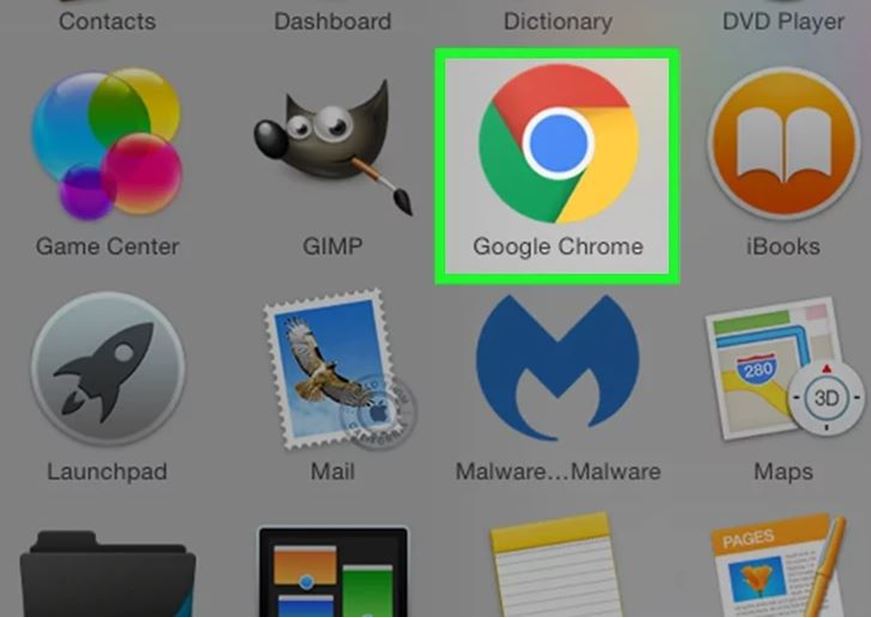
- Open Google Chrome on your computer. IT’s a red, green, yellow and blue circular app.
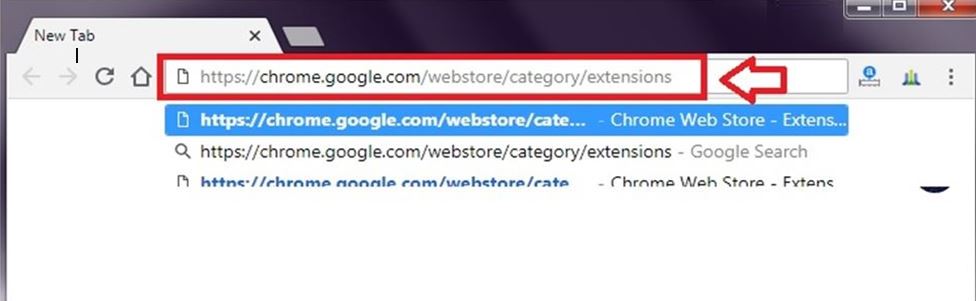
- Go to the Google Chrome Store. It’s located at https://chrome.google.com/webstore/category/extensions
- Click the search bar. This is the white box in the top-left side of the page with ”Search translate” written in it..
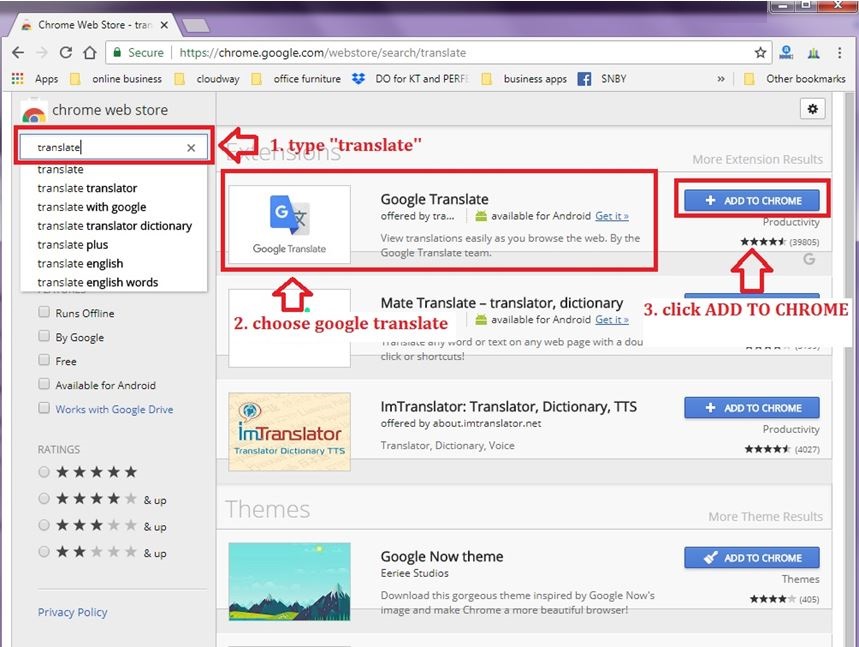
- Click ADD TO CHROME. This button will be to the right of an extension.
- Click The Add Extension. You’ll see a new download pop up at the bottom of the page for a moment, and then a pop-up window announcing that the extension has been installed will display in the top right corner of the page.
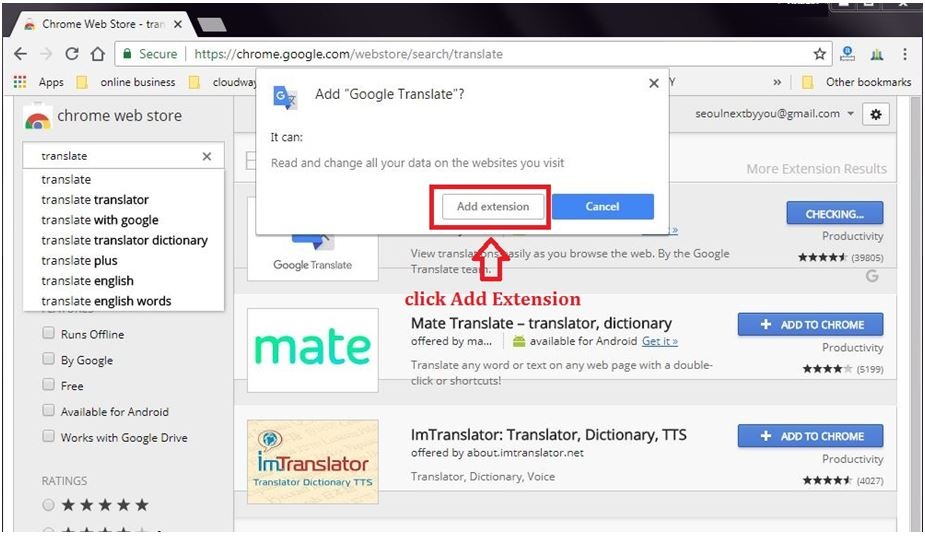
- Done it. Added Goggle Translate Extension
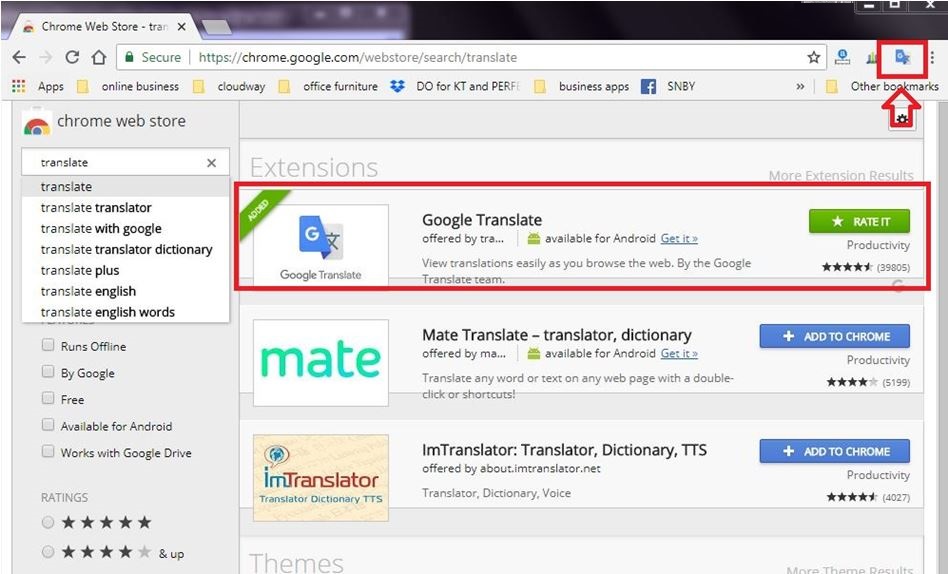
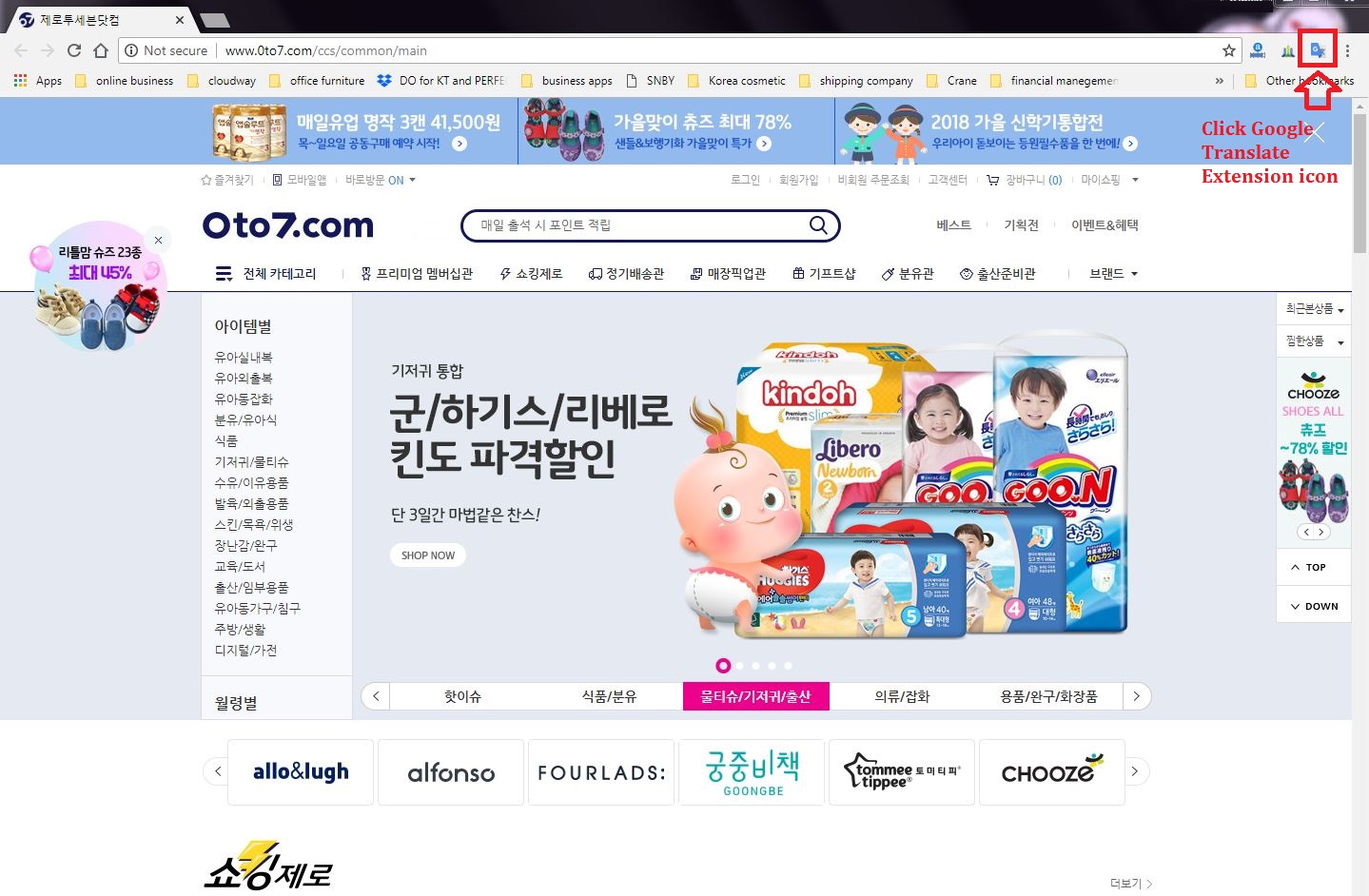
- Try it now. Go any recommend Korean Website as below:
Korean Baby Care
http://www.0to7.com/ccs/common (cloth, accessory, maternity etc)
http://www.naturelovemere.co.kr(baby accessory)
http://www.boribori.co.kr/index.html (baby clothes)
Korean Jewelry
Korean Fashion
http://en.ponyzn.com (Upper class-ish)
http://en.ode.co.kr (I love one-piece)
http://www.gumzzi.co.kr (Sexy style)
http://www.graychic.co.kr (Daily style)
- Click Google Translate Extension.
- Click ‘TRANSLATE THIS PAGE’ . You can choose any world language you want to translate on the page.
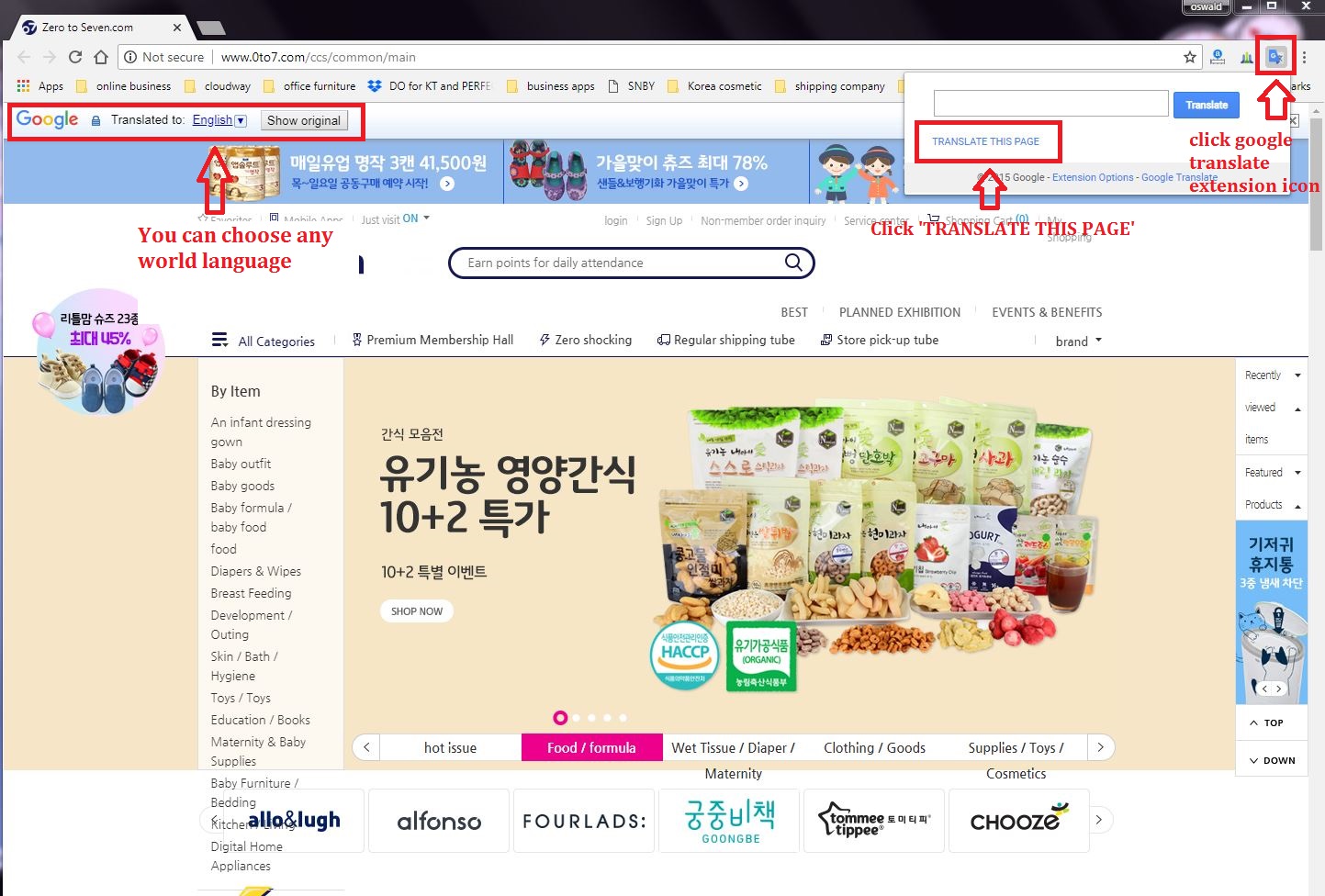
Congratulation~! You can Read any Korean website by any language you like.